aibleton

AIbleton
An AI music production agent inside Ableton Live.
Create, understand, analyze, arrange, edit, and refine music directly inside Live.
Chat · Create · Analyze · Reason · Arrange · Edit · Control
Use Codex, Claude, Gemini, or other compatible AI models directly in your music production workflow.
English · 中文



Download
Current version: v0.9.21
| File | What it is |
|---|---|
| Download AIbleton-0.9.21.ablx | The Live extension — required. Install it from Live → Settings → Extensions. |
| Download AIbletonBar-macOS.zip | Optional floating sidebar. Requires the .ablx above to be installed first — it only loads the UI served by the extension. No update needed — keeping the .ablx current is enough. ⚠️ First launch is blocked by macOS (ad-hoc signed, not notarized): run xattr -cr /Applications/AIbletonBar.app once in Terminal — or right-click the app → Open → Open. After that it launches normally. |
| Download AIbletonBar-Windows.zip | Optional floating sidebar. Requires the .ablx above to be installed first — it only loads the UI served by the extension. No update needed — updating the .ablx is enough. |
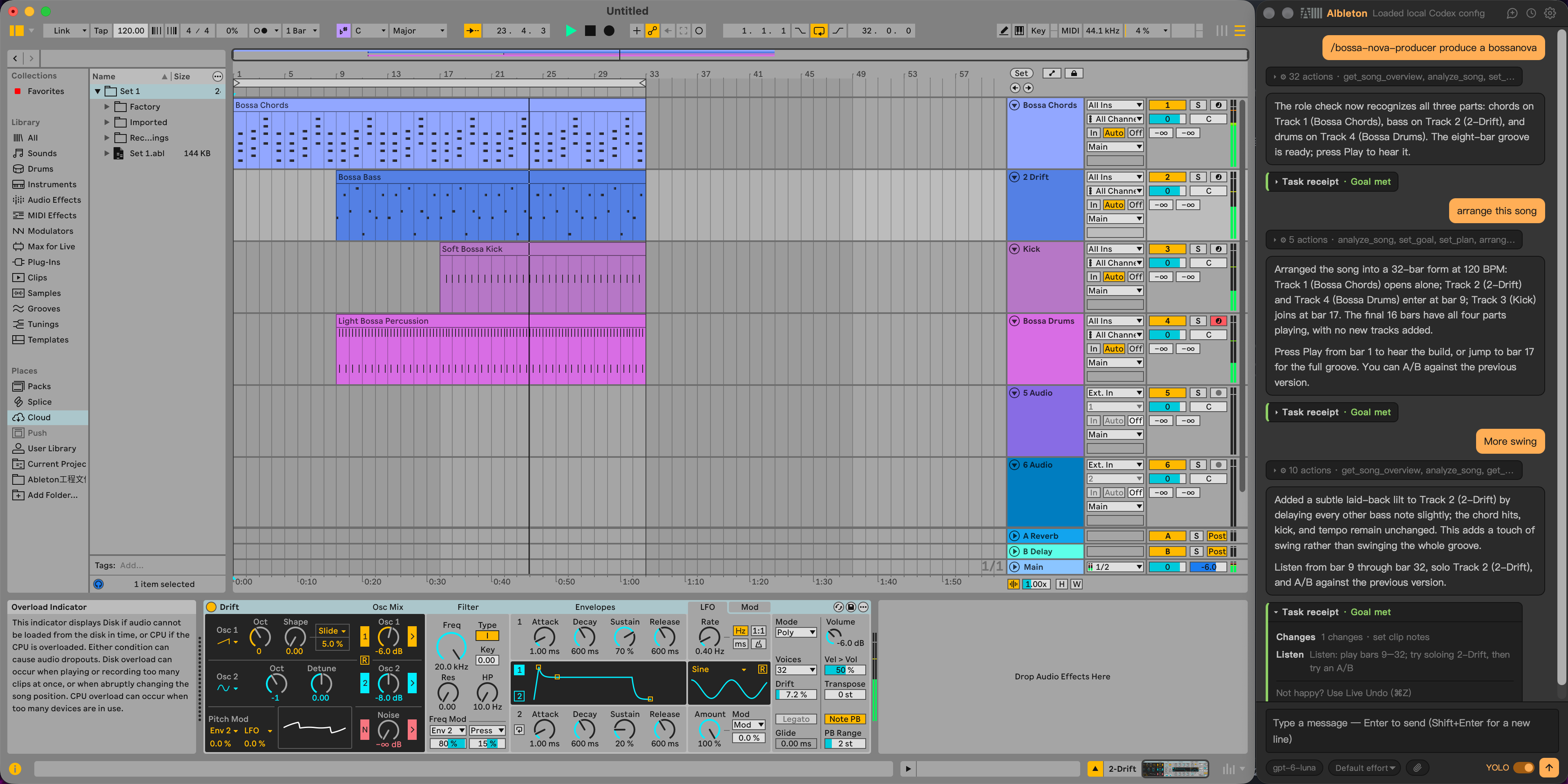
Why the sidebar? While AIbleton’s panel is open inside Live, the extension SDK blocks you from interacting with Live itself. AIbletonBar floats on top instead, so you can keep working in Live while you chat.
What is AIbleton?
Most AI music tools can generate music or give you advice.
AIbleton is an AI music production agent that can create, understand, analyze, arrange, edit, and refine music directly inside Ableton Live.
Ask it to create something new, improve what you already have, analyze your arrangement, or make changes to your Live Set.
For example:
“Create a 4-bar bassline in A minor.”
“Make the bass less busy.”
“Analyze the arrangement and tell me what’s missing.”
“Add an Auto Filter to the synth and sweep the cutoff.”
“Create a drum groove inspired by a classic 909 pattern.”
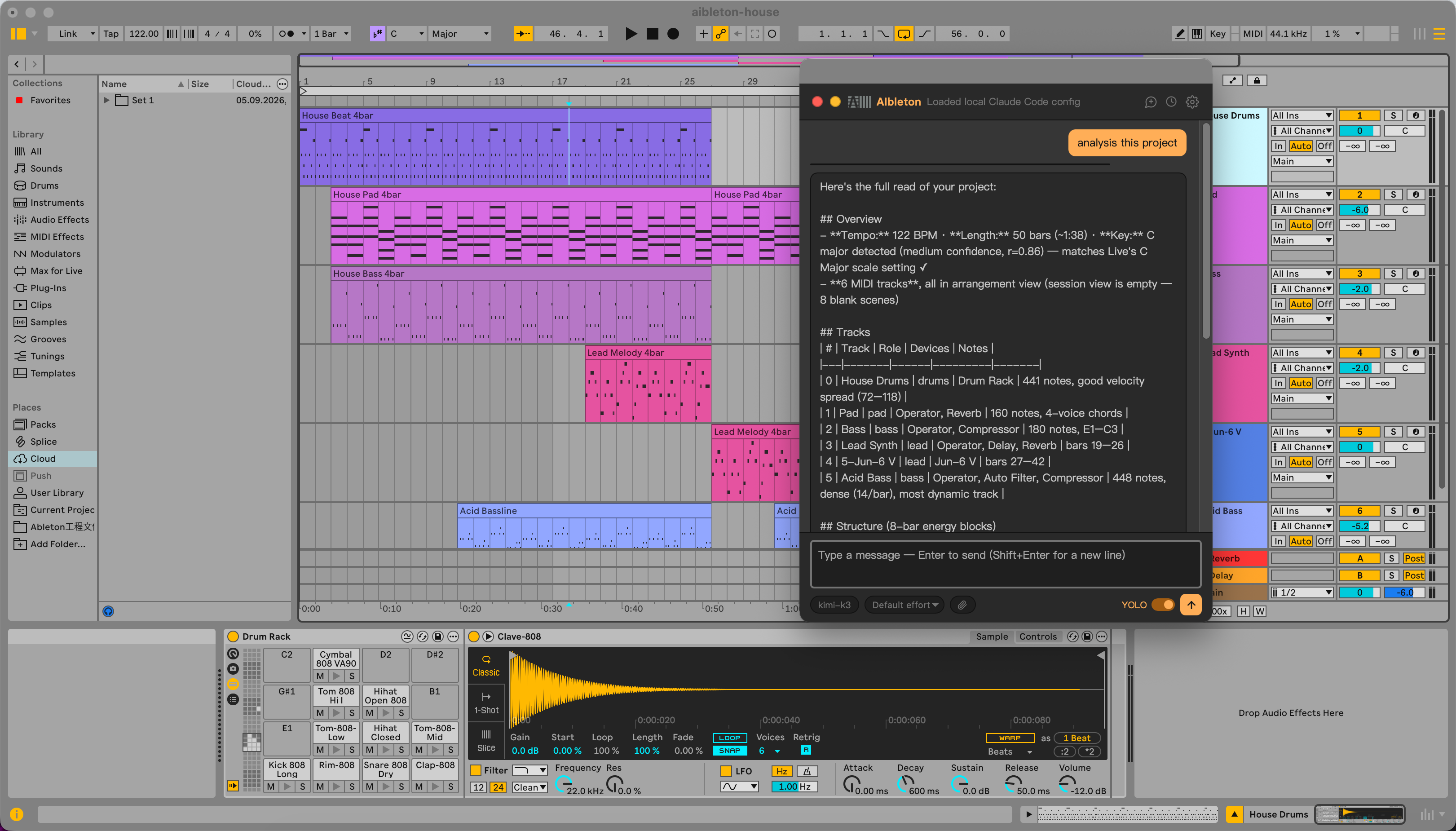
The agent can inspect your Live Set, understand musical context, reason about your music, and perform changes directly in Live.
Screenshots
| Inside Live | AIbletonBar sidebar |
|---|---|
 |
 |
Core Capabilities
Create
- Generate MIDI clips and musical patterns
- Create drum grooves and instrument parts
- Generate new audio with supported AI providers (explicitly ask for AI generation; sample and loop requests search local files first)
- Load drum kits and instruments
- Turn natural-language ideas into musical content
Understand
- Analyze the current Live Set
- Inspect tracks, clips, MIDI, devices, and parameters
- Understand key, tempo, track roles, and musical context
- Analyze arrangement structure and sections
- Analyze audio source files for loudness (LUFS), true peak, dynamics, stereo correlation, and possible phase issues
Reason
- Extract structured musical features
- Understand relationships between tracks and sections
- Compare section contrast and similarity
- Analyze musical roles and arrangement arcs
- Produce evidence-backed musical observations
- Use reference tracks for musical comparison
Arrange
- Create and modify arrangements
- Work with musical sections
- Generate and edit clips
- Make section-aware changes
- Plan changes before executing them
Edit & Control
- Create and manage tracks and scenes
- Insert and control devices
- Change mixer and device parameters
- Make batch sound-design changes
- Control Ableton Live directly from the agent
Refine
AIbleton can use audio analysis as part of an iterative production loop:
Generate
   ↓
Import
   ↓
Analyze
   ↓
Evaluate
   ↓
Refine
   ↓
Analyze again
This allows generated music to be evaluated against measurable goals and refined through multiple iterations.
Vocal Assist
- Compare a recorded vocal with an isolated reference vocal from another Live audio track or a local file
- Review differences in level, dynamics, spectral balance, and possible sibilance or plosive cues
- Inspect and adjust vocal effects, including Auto Shift when pitch correction is requested and available in Live
The comparison measures source files before warping, gain, and effects. It does not measure note-by-note pitch or timing, or verify how the processed vocal sounds; audition both vocals in Live before judging the result.
Search & Remember
- Search local sample libraries
- Search the web when enabled
- Remember artist preferences and musical context
- Reuse reference and analysis information
Skills
Customize AIbleton with local production Skills. Browse the starter Skills and see the user guide for installation instructions.
Ableton Move
For setup, routing, pairing, and troubleshooting, see the Ableton Move guide.
- Analyze Move Sets
- Transfer samples
- Work with Move MIDI and projects
- Upload Live samples to Move
- Connect Move to the AI-powered production workflow
How It Works
User Intent
    ↓
AI Agent
    ↓
Understand Live Set
    ↓
Music Intelligence
    ├─ Musical Features
    ├─ Relationships
    ├─ Analysis
    └─ Reasoning
    ↓
Plan
    ↓
Creative Actions
    ↓
Ableton Live
    ↓
Analyze & Verify
    ↓
Refine when needed
AIbleton separates the AI model from the music-production runtime, allowing different AI providers to work with the same Live integration and production tools.
Music Intelligence
AIbleton is built around a structured understanding of the musical state of a Live Set.
Live Set
   ↓
Music State
   ↓
Musical Features
   ↓
Relationships
   ↓
Reasoning
   ↓
Creative Actions
   ↓
Agent
   ↓
Live
This allows the agent to work with more than individual commands.
It can reason about musical context, structure, relationships, intent, and measurable results before and after making changes.
Agent Runtime
AIbleton uses an agent runtime to coordinate:
- Natural-language intent
- Planning and execution
- Tool calls
- Goal tracking
- Verification
- Retry and replanning
- Musical analysis
- Audio feedback
- Provider-independent model access
The goal is not simply to generate a response, but to complete a music-production task and verify the result inside Ableton Live.
Installation
Requirements
- Ableton Live 12.4.5+
- Ableton Extensions SDK support
- An AI provider
Download the latest .ablx from the Releases page and install it from:
Ableton Live → Settings → Extensions
AIbleton also provides an optional AIbletonBar floating interface for macOS and Windows.
Development
git clone https://github.com/freddyzhangxu/aibleton.git
cd aibleton/AIbleton
npm install
npm start
See the repository documentation for development and SDK setup.
Roadmap
1.0 — AI Music Production
AIbleton 1.0 focuses on making AI-powered music production reliable and practical inside Ableton Live.
The 1.0 scope includes:
- Reliable Live Set understanding
- Musical reasoning and planning
- MIDI and audio creation
- Arrangement and section editing
- Sound design and device control
- Reference-aware musical analysis
- Audio feedback and iterative refinement
- Reliable agent execution and verification
- Stable provider-agnostic AI workflow
- Production-ready UX and reliability
Beyond 1.0
Future development may expand AIbleton into:
- Deeper real-time interaction
- AI-assisted Live Performance
- Performance-oriented control
- More advanced real-time musical decision making
- Deeper integration with hardware and live-performance workflows
Status
AIbleton is an open-source AI music production agent built on the Ableton Extensions SDK.
The project is approaching its 1.0 release, with current development focused on:
- Reliability
- Agent quality
- Music intelligence
- Audio feedback and refinement
- Provider stability
- Product polish
The Ableton Extensions SDK is evolving, and APIs and capabilities may change.
AIbleton is not affiliated with or endorsed by Ableton AG. “Ableton” and “Live” are trademarks of Ableton AG.